



Enrolling in a cyber school is a family commitment, not just a student one. The responsible adult at home with the student during the school day—the Learning Coach (LC)—has a crucial role to play. That’s why PA Virtual offers a wide variety of supports for both students and LCs. Read on to learn about the ways we support cyber school parents and guardians.
Starting Out
Orientation
PA Virtual’s extensive Orientation program helps both students and Learning Coaches get on their feet. During Orientation, teachers help new families set up their school accounts, learn how to navigate the school portal, understand how to use virtual classroom tools, and become familiar with important school resources. Because students with active Learning Coaches are far more likely to succeed in cyber school, we invest time early on so that LCs have a solid understanding of tasks like accessing live classes, finding information on outings, locating teacher contact information, checking grades, and reviewing the teacher’s weekly plan.
Checklists
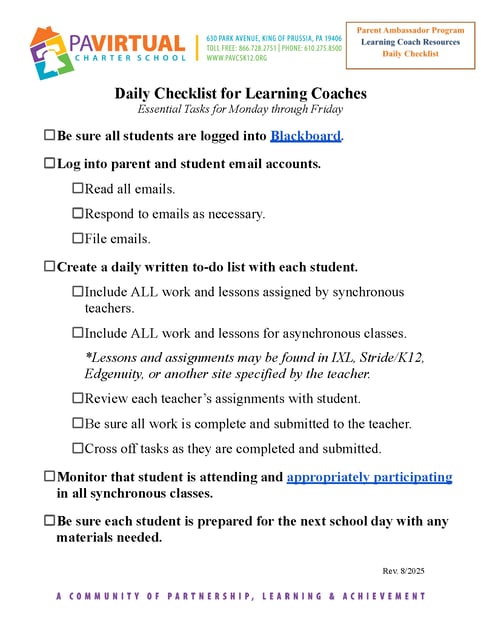
One of the groups LCs are connected with during Orientation is the Parent Ambassadors, a group of parents (some staff, some volunteers) whose mission is simply “Parents Supporting Parents.” Every Parent Ambassador has been a Learning Coach for multiple years (some for 12 or more!), so they have experience to share as well as a true understanding of what it’s like to be a LC on a day-to-day basis. The Parent Ambassadors offer a huge number of resources, one of which is a collection of checklists that can be especially helpful for new families. These checklists help LCs keep track of daily, weekly, monthly, and even yearly tasks.
New Family Fifteen
Another helpful resource provided by the Parent Ambassadors—you’re going to hear about them a lot in this blog—is a live, online session called the “New Family Fifteen.” Held each week, these interactive sessions focus on practical advice for new families, and include topics like an in-depth look at the role of the Learning Coach, advice for setting up a home learning environment, and strategies for time management.
Mentor Program
The Parent Ambassadors’ highly-personalized Mentor Program pairs new LCs with an experienced mentor. Mentors work with their partners on the skills and topics that matter most to them, like navigating school software, learning school processes, or finding information. Because mentors have “been there,” they can also celebrate student achievements, help develop strategies for learning at home, provide a sympathetic ear, and offer tips, tricks, and best practices. Mentors and LCs connect regularly in ways that feel most comfortable for them: while some parents want monthly phone check-ins, others prefer weekly texts or virtual face-to-face meetings on an as-needed basis.
Continuing the Journey
PA Virtual understands that helping families get started is just the tip of the iceberg, so we make sure to offer continuing support, even after Orientation is over.
Outings
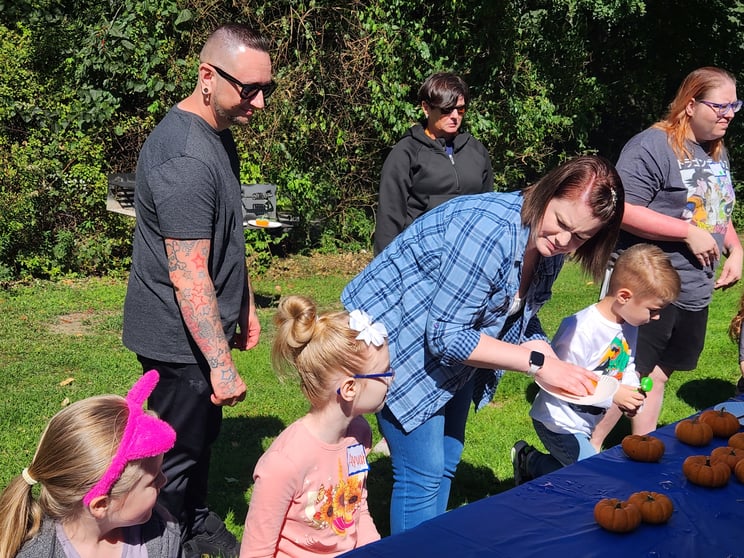
We offer local, in-person outings across the state each month, providing opportunities for students and families to make connections outside of the classroom. These events are a great chance for LCs to connect with and encourage each other, to offer tips for supporting students and navigating PA Virtual resources, and to share community resources that may provide additional options for in-person connection.
Dedicated Email Account
PA Virtual understands that it can be hard to keep up with the volume of emails we get in our inboxes each day, so we provide a dedicated LC email account for school communication. School announcements, messages from teachers, information about assemblies and events, and more all come to this email account so that LCs can stay on top of information and keep it organized for future reference. LCs can also use this email account to reach out to PA Virtual teachers and staff any time they have questions or concerns.
Parent Ambassador Website
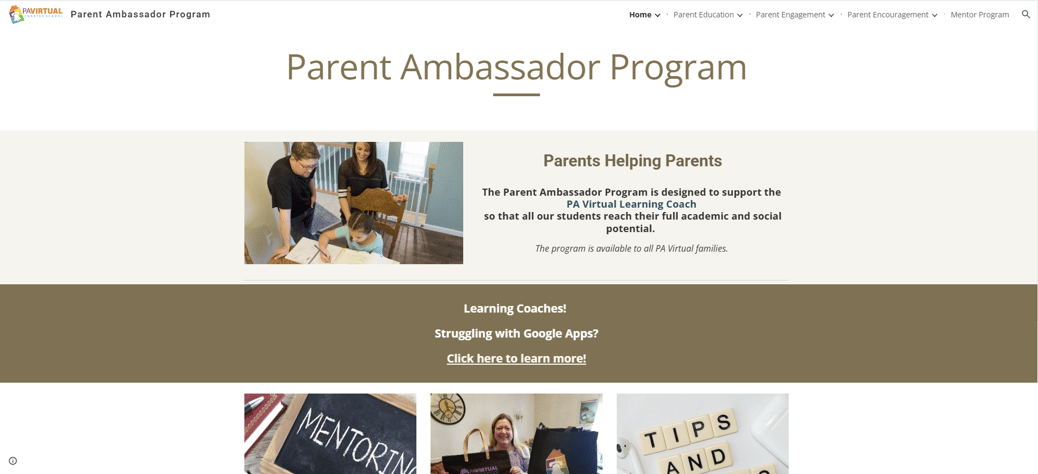
To help LCs keep track of the numerous programs and support offered by the Parent Ambassadors, they maintain a website that keeps all of the details in one place. The site also provides information about volunteer opportunities, parent education tools, and parent engagement resources. They even offer a cookbook!
Family Support Coordinators
Every family at PA Virtual has a Family Support Coordinator (FSC)—a full-time regional staff member that helps with attendance, plans outings, assists with passwords and learning school software, and is the go-to person for families whenever they need help or aren’t sure where to turn. These staff members stay the same from year to year, so FSCs get to know families and create strong relationships with them.
The School Portal
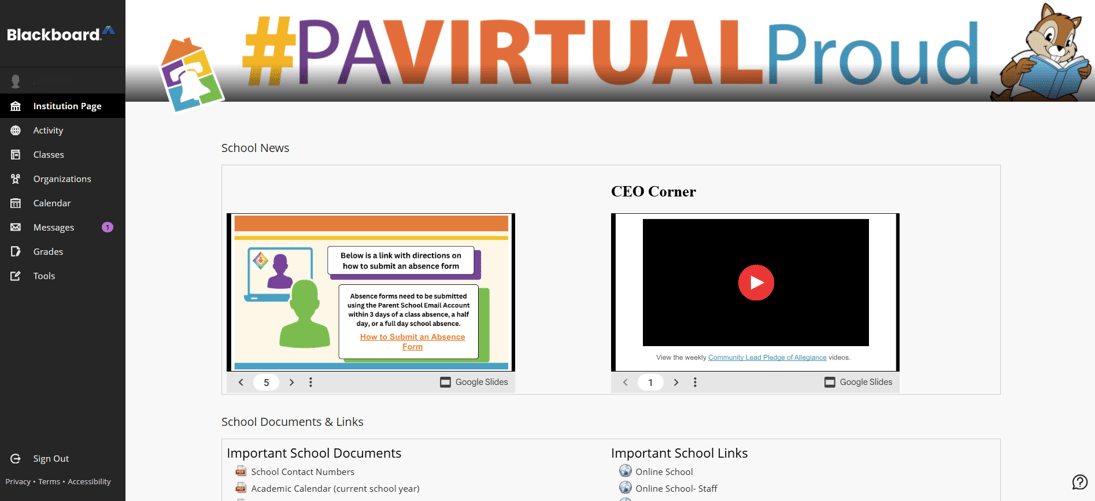
Blackboard, our school portal, is the hub for all things PA Virtual. Through the portal, students and Learning Coaches can:
-
- Find teacher contact information
-
- Confirm the student’s schedule
-
- Check course grades and see teacher feedback
-
- Enter classrooms for live classes
-
- Access online curriculum and lessons
-
- Review teachers’ weekly plans
-
- Discover virtual school clubs and local outings
-
- And much more!
Lunch and Learn
Each week, the Parent Ambassadors host a live online session to share tips for dealing with common LC challenges, review important school information, and give LCs another chance to connect. Topics from this year have included Learning Coach Administration Tasks, Making the Most of Winter Break, and Avoiding Learning Coach Burnout.
Honing Skills
Even after LCs learn the basics of their role, there are still opportunities for them to gain or sharpen skills that help them better support their students.
Certificate Programs
The Parent Ambassadors regularly offer Parent Certificate Programs designed to support LCs with practical, relevant skills. These programs include live classes and explore topics such as:
-
- Grammar Basics
-
- Google Suite
-
- Writing Basics
Sitting in on Classes
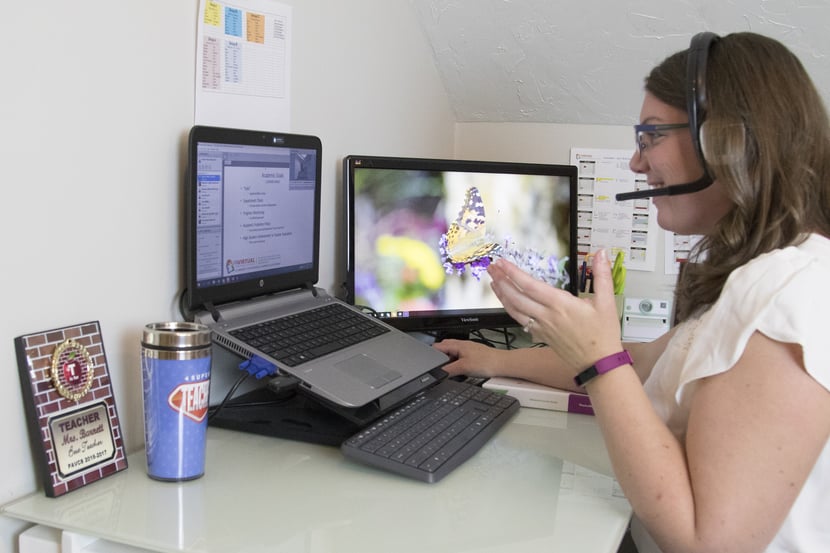
One of the most unique opportunities for LCs at PA Virtual is to sit in with their child during live classes. Especially for younger students, having an LC there to support and redirect them can help them stay focused and participate more confidently. All students, however, benefit from an LC who can offer guidance when they get stuck. By joining their child in class, LCs can:
-
- Learn the strategies and language teachers use to teach current content
-
- Hear class content as a refresher
-
- Have a starting point for conversations outside of class
-
- Clearly understand expectations and timelines for assigned homework, upcoming tests, and larger projects
Office Hours
Each Friday, teachers offer drop-in office hours so that students can ask questions, clarify/review grades and assignments, and receive support. Parents can attend Office Hours with their student to listen to the instruction, explanations, and guidance the teacher provides so they are prepared when their child needs help. For one-on-one conversations, parents can email the teacher to arrange a meeting outside of Office Hours.

Comments